> ## Documentation Index
> Fetch the complete documentation index at: https://docs.superleap.com/llms.txt
> Use this file to discover all available pages before exploring further.
# Introduction
> Introduction to the Superleap Airbyte Connector
Use this guide to configure the Superleap connector as a custom source in Airbyte.
## Step 1: Create a New Source in Airbyte
In your Airbyte workspace:
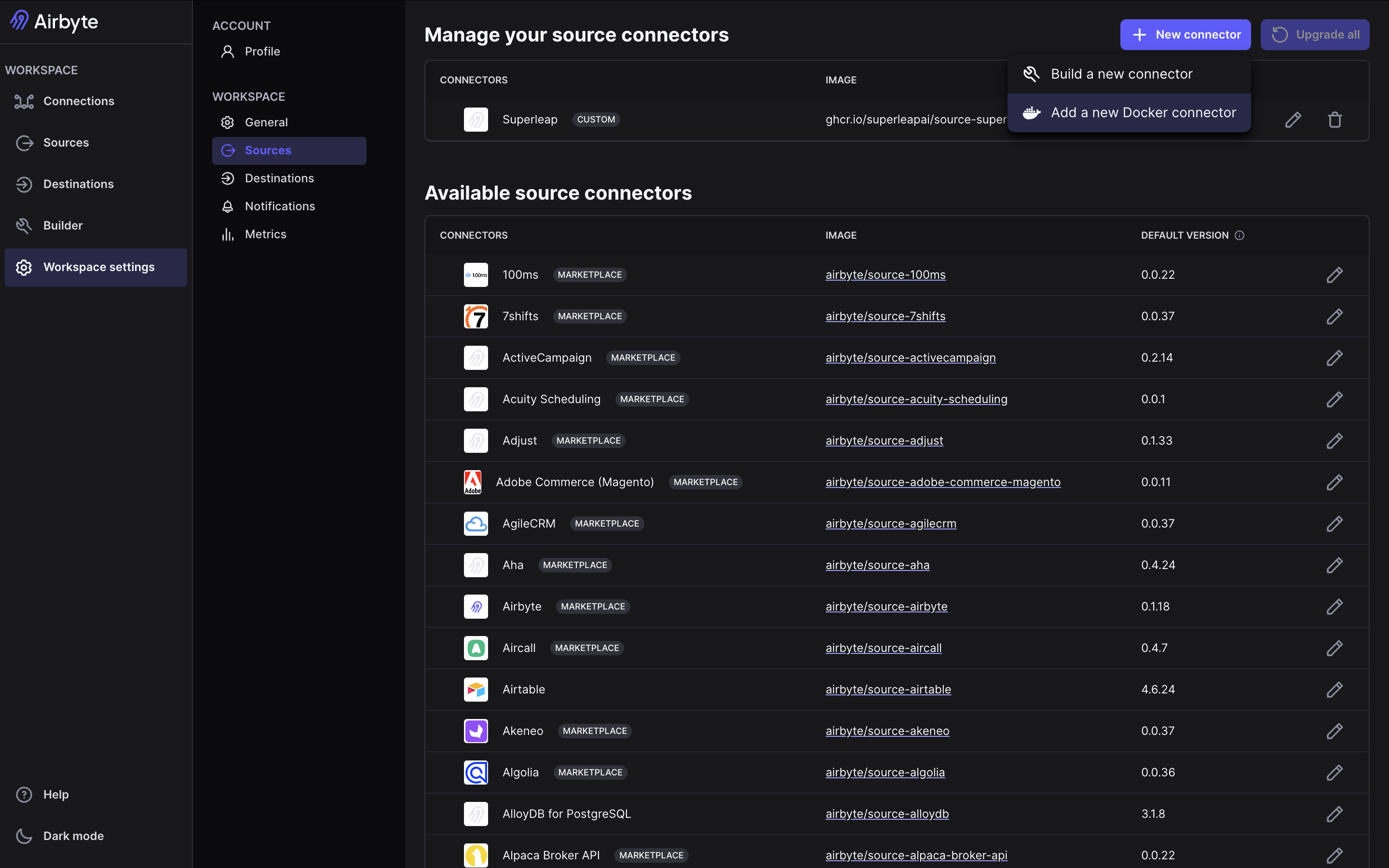
1. Go to **Sources**
2. Click **+ New source**
3. Select the option to add a new docker container source (the exact wording may vary based on your Airbyte version)
 ## Step 2: Enter Docker Image Details
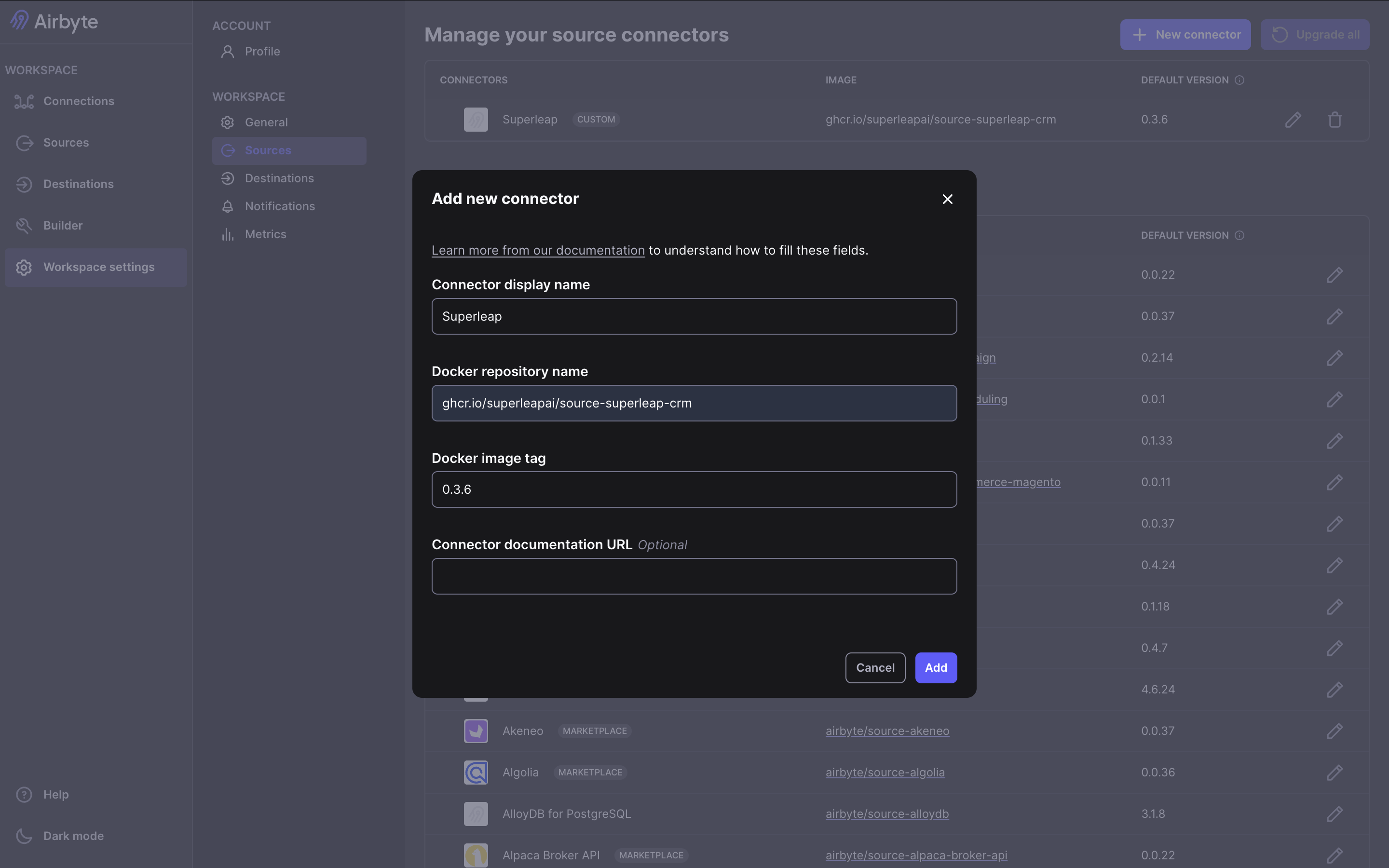
In the connector setup screen, enter the image details for the Superleap Airbyte source connector:
1. Fill in the connector name (Superleap)
2. Set the Docker repository name (`ghcr.io/superleapai/source-superleap-crm`)
3. Set the Docker image tag, find the latest image details [here](https://github.com/superleapai/superleap-airbyte-connector-public/pkgs/container/source-superleap-crm)
Make sure these values match the image details shared by the Superleap team.
## Step 2: Enter Docker Image Details
In the connector setup screen, enter the image details for the Superleap Airbyte source connector:
1. Fill in the connector name (Superleap)
2. Set the Docker repository name (`ghcr.io/superleapai/source-superleap-crm`)
3. Set the Docker image tag, find the latest image details [here](https://github.com/superleapai/superleap-airbyte-connector-public/pkgs/container/source-superleap-crm)
Make sure these values match the image details shared by the Superleap team.
 ## Step 3: Configure Source Settings
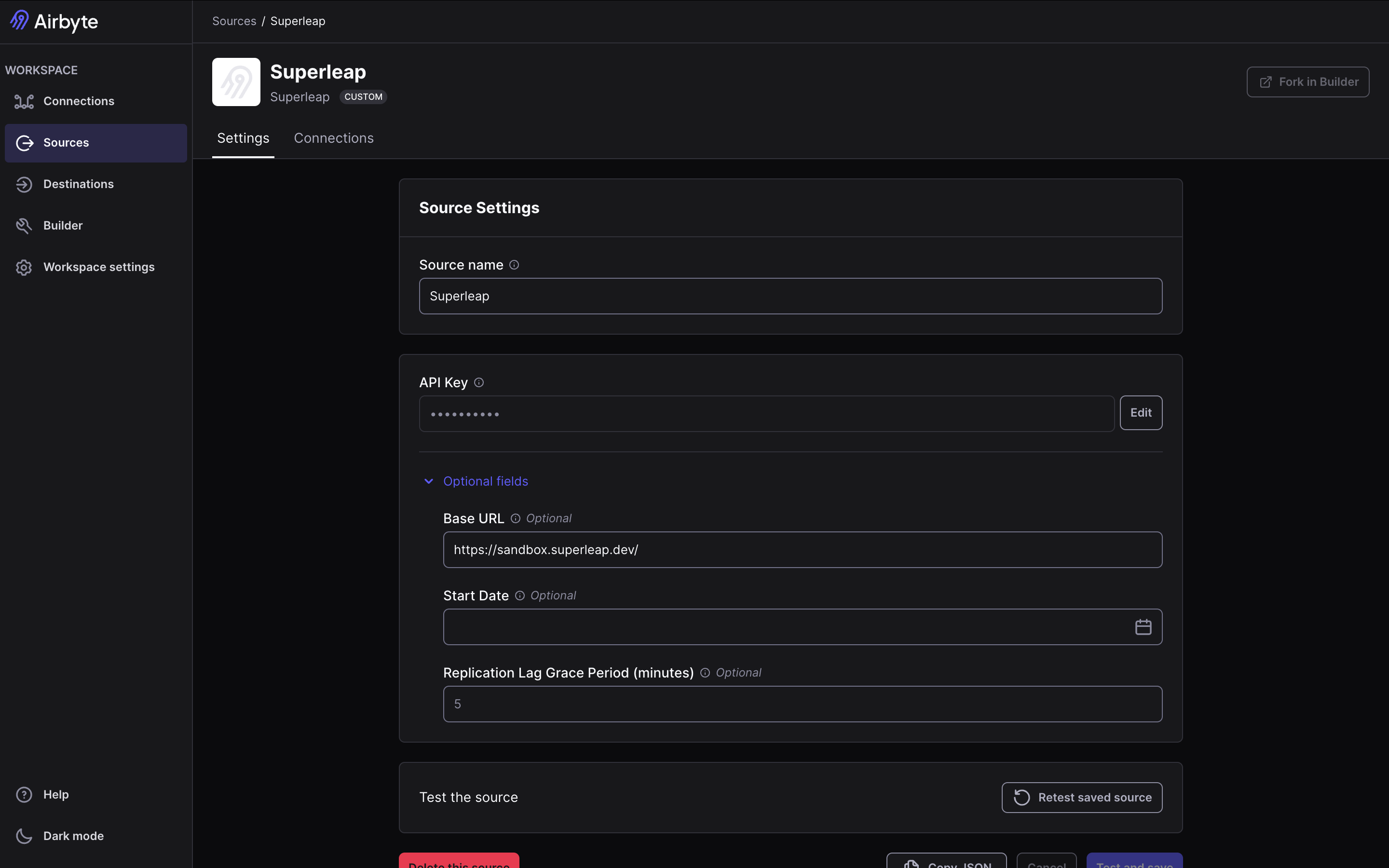
Provide your source configuration fields (for example API key and other required values), then validate the connection.
1. Enter all required connection fields
2. Click **Test and save** (or the equivalent validation action in your Airbyte version)
3. Confirm the source is successfully created
## Step 3: Configure Source Settings
Provide your source configuration fields (for example API key and other required values), then validate the connection.
1. Enter all required connection fields
2. Click **Test and save** (or the equivalent validation action in your Airbyte version)
3. Confirm the source is successfully created
 If validation fails, double-check the Docker image/tag and credential values first. Most setup issues are caused by incorrect image version or missing required fields.